Lunch Siege
Two food trucks, two kitchen forts and three chefs a side. Throw food with spin, read the wind and bring down the rival fort in this free physics game.
What is Lunch Siege?
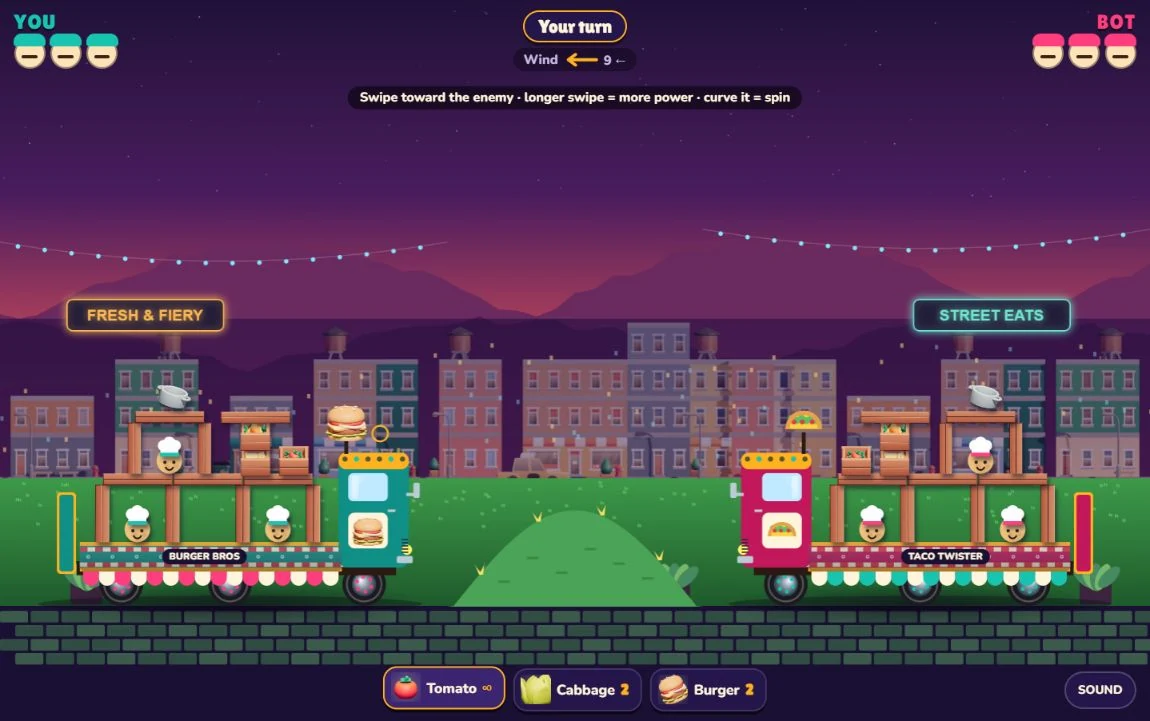
Lunch Siege is a turn-based food fight from DreamForged Studio. Your truck faces an opponent across the street, with a small fort and three chefs on each side. Win by knocking all three rival chefs off their truck before they do the same to yours.
The fort is part of the puzzle. A wall can protect a chef, while a crate underneath can become a weak point. A direct hit is not the only way to win a turn: removing the support beneath a chef lets gravity do the work. As structures collapse, the useful targets change.
Swipe, spin and wind
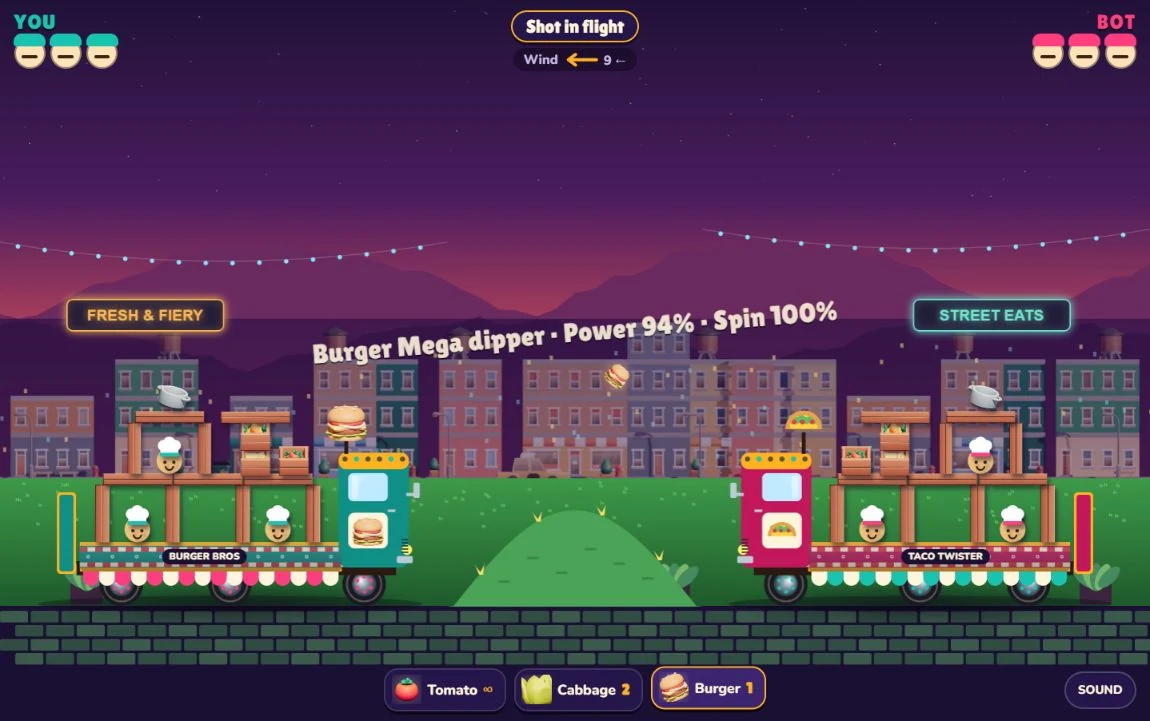
Swipe toward the other truck on a phone, or drag with the mouse on a computer. Swipe length controls throw strength. Curving the swipe adds spin: a downward curve makes the food dip; an upward curve helps it float. Read the wind arrow each turn, because a throw that worked under a headwind may overshoot with a tailwind.
Start with a tomato to learn a path. If it strikes the wall, reconsider the angle or curve before simply adding more power. Watch the first point of impact: it explains whether the obstacle is the trajectory, the wind or the support you chose.
Pick your food
- Tomato: unlimited throws; useful for finding a trajectory, clearing individual blocks and following up on damage.
- Cabbage: two per match; heavy and bursts on impact, making clustered supports a useful target.
- Burger: two per match; spins strongly and hits chefs hard when you have a clear opportunity.
Solo or with a friend
Choose Easy, Normal or Pro for a bot match. Easy is a good place to learn the effect of a curved swipe. Normal adds a stronger opponent, while Pro demands more careful wind reading and shot placement.
For a two-player match, select Play a friend, create a room and share its six-digit code. Your friend enters that code in Lunch Siege on their own phone or computer. Keep both game tabs open while joining. No account is needed. If the room expires, create a new room and share its new code.
Replays and learning
A big hit can trigger a slow-motion replay. Follow the collision through the falling blocks to understand why a chef dropped or stayed standing. The game also offers replay saving and sharing; availability of sharing controls can depend on your browser.
Questions before you play
Is Lunch Siege free?
Yes. Open the browser game without installing an app or creating an account.
Can I play alone?
Yes. Play against the bot on one of three difficulty levels, or invite a friend for an online match.
Do I need a mouse?
No. Touch swipes work on phones; mouse dragging provides the corresponding input on a computer.
Why did a direct hit fail to knock out a chef?
A chef may still have support beneath them. Look at the structure left standing and consider attacking its support rather than repeating the same shot.
For a worked shot-planning example, read the Lunch Siege guide. For collision chains and online turn updates, read the physics devlog.
Take Lunch Siege to Android
The Android edition includes the game assets for solo play without an internet connection. Online matches and advertising require internet access.
Free to play. Includes advertising at selected match breaks, with privacy choices before ads where required. No account is needed.
Download for Android · 1.0.1 Screenshots and details
Submitted to Amazon Appstore for review. Availability will be linked here after approval.
Support and more games
Found a problem? Send the game name, device/browser, difficulty and steps to reproduce it through Contact. Read our privacy policy for local saved data, online play and advertising information.